Best Travel Electronics Organizer (2026): Pouches for Multi-Device Kits
Organizers
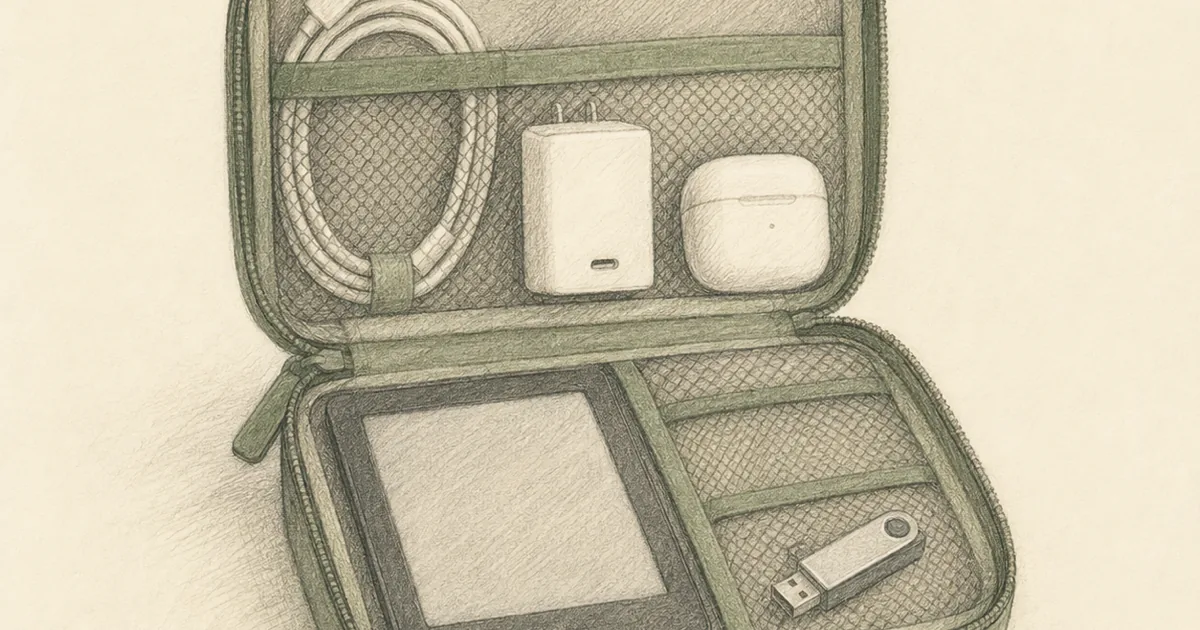
The best travel electronics organizer keeps cables, a charger brick, an e-reader or tablet, earbuds, and a power bank in one grab pouch instead of a tangled pile. Start with the BAGSMART puffy pouch for a balanced kit, then size up or premium up from there.
Our picks
A travel electronics organizer is the pouch that holds cables, a charger brick, an e-reader or small tablet, earbuds, a power bank, and the small drives that used to float loose in your personal item. It is bigger in scope than a cable organizer, which stays focused on cords and adapters. If your carry-on already feels like a small office, you want this pouch, not a zip bag.
Browse the wider travel organizers family when you are building the full kit, starting from the travel cable organizer for cable-only trips, then graduating to this guide when the kit grows past cords.
Quick comparison
For a fuller kit with a brick, an e-reader, and a power bank in one large organizer, the BAGSMART Large Electronic Organizer in the cable organizer guide is the closest step up in the same product family.
BAGSMART Pink Puffy Electronics Organizer
This is the default buy for most travelers who carry a phone, earbuds, a power bank, a couple of cables, and a slim e-reader. The BAGSMART pouch uses quilted padding around the exterior instead of a thin mesh layout, which protects earbuds cases and small drives better against drops. The interior splits into two mesh pockets for a phone and a power bank, plus six expandable pouches for cables and adapters.
It slides into a personal item at 8.3 by 5.3 by 2.3 inches. The pink color makes it easy to find at the bottom of a backpack, and it is light enough that you stop noticing it is there. Most travelers end up leaving it in the bag permanently after the first trip.
Skip it if you carry a full laptop power brick. The brick is too tall and too heavy for the quilted padding to protect well. Move to the Peak Design pouch or the larger BAGSMART organizers for brick-sized kits.
Peak Design Tech Pouch
Peak Design's Tech Pouch is the premium pick when you want one organizer to survive daily carry for years. The origami-style internal dividers fold into a custom layout, so you can dedicate one section to a brick, another to earbuds, and a flat layer to cables. The exterior is weatherproof recycled nylon that shrugs off rain and coffee drips, and the external cable pass-through lets you charge a phone without opening the pouch.
It is heavier than the BAGSMART and costs more, but the dividers adapt to whatever kit you pack tomorrow. If your electronics load changes trip to trip, this pouch keeps up. If you fly with a laptop brick, a portable mouse, a hard drive, and an adapter every week, the layout work pays for itself.
Skip it if you only carry a couple of cables and want the cheapest pouch that does the job. Save the upgrade for a kit that uses the divider system.
What a travel electronics organizer actually holds
The job is wider than cables. A solid kit usually includes:
- One or two USB-C cables plus a Lightning or Micro-USB backup
- A GaN power brick (laptop-size or phone-size)
- A power bank, often 5,000 to 10,000 mAh
- Earbuds or a small headphone case
- An e-reader like a Kindle
- A USB drive or portable SSD
- A travel adapter for international trips
- Sometimes a slim tablet (9 to 11 inch iPad)
If your kit fits in a single layer with no tablet, you may only need a cable organizer. The moment you add a brick plus a tablet plus earbuds plus drives, you have outgrown a cable-only pouch.
How to pick the right size
Measure your largest item first. A 9 to 11 inch tablet needs a sleeve pocket or a deep lower layer. A 13 inch laptop brick needs a tall compartment and a wide footprint. A portable hard drive wants a padded slot that does not let it bang against the brick.
If the pouch only fits your gear diagonally with the zipper half open, size up. A pouch that forces the zipper is one you will hate by day two. Padded dividers help, but they do not fix a pouch that is too small by design.
Packing tips that make the pouch pay off
Group by use, not by type. Keep the daily kit (phone cable, earbuds, brick) on one side. Keep the backup kit (extra cable, travel adapter, USB drive) on the other side. That way you pull one layer at a security checkpoint instead of dumping the whole pouch.
Use small Velcro cable ties or simple rubber bands inside the pouch. They keep coiled cords from unraveling when you toss the pouch into a backpack.
Do not put a power bank in checked luggage when airlines restrict it. Most airlines allow up to 100 Wh in carry-on. Keep the pouch with the power bank in your personal item and move the cables to a checked bag if you split the kit.
Common mistakes with travel electronics organizers
Buying a pouch that is too small for the brick. The brick is the tallest item in most kits. If the brick has to lay flat and the pouch barely closes, you bought the wrong size. Measure the brick first.
Mixing liquids and electronics in the same pouch. A leaking shampoo tube can destroy a power bank. Keep liquids in a hanging toiletry bag and the electronics pouch in a dry zone of the bag.
Cramming a soft pouch into a checked suitcase full of heavy items. Soft pouches crush. If you must check a kit with fragile drives, swap to a hard shell or wrap the soft pouch inside a hoodie.
Ignoring cable pass-through for daily charging. Some organizers, like Peak Design, let you charge a phone while the pouch stays closed. If you charge your phone at a hotel desk every night, that pass-through saves a minute of unpacking.
Treating the pouch as a permanent home for cables. Cables wear out at the connector, not the middle. Rotate which cable lives on top so the same bend point does not fatigue every trip.
When to skip an electronics organizer
Skip the pouch entirely if your travel kit is a single USB-C cable and a phone charger. A small zip pouch in your personal item is enough. Buy a dedicated organizer when the kit grows past three cables plus a brick plus a device, or when you regularly check a bag with fragile electronics inside.
Skip it also if you already carry a laptop in a structured sleeve with internal pockets. Some laptop sleeves have built-in organizer pockets that handle cables. The dedicated pouch still wins on access at security, but the sleeve-only path is fine for short trips.
Final takeaway
Pick the BAGSMART Pink Puffy for the compact multi-device kit that fits most travelers at a fair price. Step up to the Peak Design Tech Pouch when you want premium dividers and weatherproof build for daily carry.
For a fuller kit with a brick, an e-reader, and a power bank, move up to the BAGSMART Large Electronic Organizer in the cable organizer guide. Then build the rest of your kit with the packing cubes for carry-on for clothing zones, and the full packing organizers family when you are ready to add laundry bags, jewelry pouches, and TSA quart bags to the system.
Frequently Asked Questions
What is the best travel electronics organizer for most people?
The BAGSMART Pink Puffy Electronics Organizer is the best fit for most travelers. The quilted padding and mesh pockets keep a phone, earbuds case, power bank, and a couple of cables visible and protected, and the 8.3 inch footprint slides into a personal item. Step up to the Peak Design Tech Pouch if you want origami dividers and weatherproof nylon for daily carry.
Is an electronics organizer different from a cable organizer?
Yes. A cable organizer is built around cords, bricks, and adapters. An electronics organizer also fits small devices: an e-reader, a slim tablet, earbuds, a power bank, a USB drive, or a portable SSD. If your travel kit is mostly cables and adapters, the best travel cable organizer is a lighter pick. If you carry a multi-device kit, the electronics organizer wins.
How big should a travel electronics organizer be?
Measure your largest item first. A 9 to 11 inch tablet needs a sleeve pocket or a deep lower layer. A laptop power brick needs a tall compartment. If the pouch only fits your gear diagonally with the zipper half open, size up. A pouch that forces the zipper is one you will hate by day two.
Can I put an iPad in an electronics organizer?
Most medium and large organizers fit an iPad up to 11 inches in a sleeve pocket. Larger 12.9 or 13 inch iPads usually need a dedicated tablet sleeve. Check interior dimensions against your device before you buy.
What is a puffy electronics organizer?
Puffy organizers use quilted padding around the exterior instead of a rigid mesh layout. The padding absorbs drops and protects earbuds and small drives better than a thin mesh pouch, but the layout is less configurable than an origami-style divider system.
Should I get a hard shell or soft pouch?
Hard shell (EVA or polycarbonate) for fragile drives, camera batteries, or checked-bag trips. Soft pouch for everyday carry-on weight and quicker access at security. Soft pouches crush flatter inside a packed suitcase, which can be a feature or a problem depending on the kit.
Do electronics organizers help with TSA security?
Yes. A single visible pouch keeps you from dumping your bag at the checkpoint. Use the same electronics organizer for cables, drives, and adapters, then move it aside when the bin hits the belt.
Can electronics and toiletry bags live in the same suitcase?
They can, but keep them apart inside the bag. A leaking shampoo tube can wreck a laptop power brick. Put liquids in a hanging toiletry bag and the electronics pouch in a dry zone of the carry-on.